

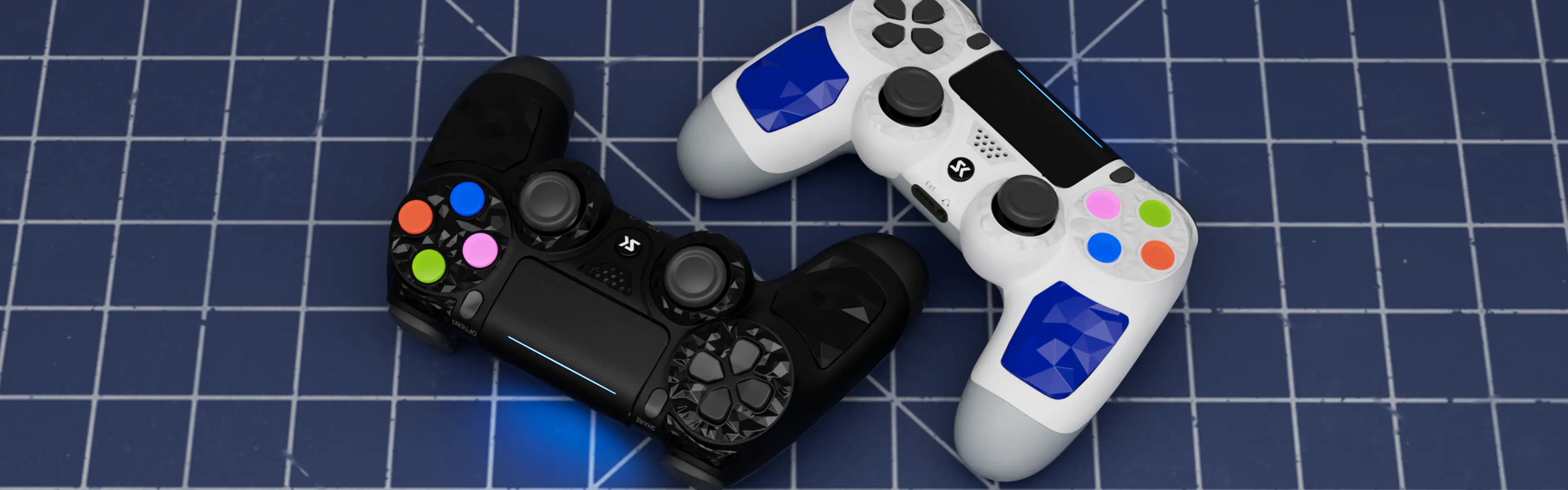
Product Details

Technical Specifications
| Product Name | S-PS413 |
|---|---|
| Support System | Windows (7/8.1/10/11) 64bit Android 8.0 above iOS 13 above |
| Support Console | PS4/Slim/Pro, PS3, Smart TV |
| Battery Capacity | 600mAh |
| Trigger | Analog triggers |
| Joystick | Analog Stick |
| Controller size | - Length: 160 mm / 6.3 inch - Height: 95 mm / 3.7 inch - Width: 60 mm / 2.4 inch |
| Controller weight | 200g / 0.44 lb |
| USB Cable | 0.8 m / 2.6 ft USB C to USB A |
| Color | Multiple colors |
Connect Devices
| Connection Methods | Combination keys | LED indicator | BT Name |
|---|---|---|---|
| PS3/PS4 | When you use it for the first time, please use the USB cable to connect to the console. | LED Always On | |
| Android System | “SHARE”+“HOME” | Top LED fast double blink | DUALSHOCK 4 Wireless Controller |
| iOS System | “SHARE”+“HOME” | Top LED fast double blink | DUALSHOCK 4 Wireless Controller |
| PC Windows - Wireless | “SHARE”+“HOME” | Top LED fast double blink | Wireless Controller |
| PC Windows - Wired | Using Micro-USB cable | LED Always On |
How can I connect my computer/phone via Bluetooth?
– Press and hold the “SHARE” + “Home” buttons on the controller for more than 5 seconds.
– The top LED bar will flash 2 flashes rapidly in white.
– Open the list of connected Bluetooth devices.
– Select the controller device to connect.
Can I connect to my PS5 console?
Yes, this controller can connect to the PS5 console and uses Bluetooth. However, please note that it does not support playing PS5 games; it can only play PS4 games that run on the PS5 console.
How to fix a PS4 console that won’t activate?
Generally, this problem occurs in only two situations (pls update your PS4 system to the latest version first)
There have other controller connected to the PS4 system but not in the user page.
Other controllers will occupy the pairing quota of the new controller, so pairing and activation operations cannot be performed. (Only when not entering PS4 home)
In this case, you will need to disconnect the other controllers first and restart the PS4 Console so that the system will clear the connection information. Then, you can perform a new pairing process using the USB cable.
After connecting the cable, pressing the home button does not activate the controller and console
This situation usually occurs when you press the home button without connecting the cable, and then connect the cable. At this time, the PS4 console will not be paired when it is turned on, so pairing cannot be successful.
In this case, please remove the USB cable first, then press and hold the Home button of the controller for more than 8 seconds, turn off the controller, then plug in the USB cable and click the Home button again until the PS4 console recognizes and pairs the controller.
How to turn on/off?
The controller has a memory function. Press and hold the Home button for 2 seconds to enter automatic pairing, giving priority to connecting to the last connected device.
If it is not connected to any device within 20 seconds, the controller will shut down.
If you need to pair to a new device, please use the pairing function: press and hold the “SHARE” + “Home” button for 5 seconds, the top LED will flash quickly, and you can see the Bluetooth name of the controller on the device to be connected. Click to connect the controller.
How to fix ps4 Mic not working?
If you find that the microphone does not work when you connect headphones to the controller, please set it up on the PS4 console.
Specific setting path: Settings in PS4 system -> Devices -> Audio Devices -> Output to Headphones -> All Audio
If the problem still occurs, please re-pair the controller: remove all Bluetooth devices in the PS4 system, restart the PS4 Console, use a USB cable to pair the controller with the PS4 console, and set the Audio device to headphones again after pairing is completed.
Please note: Third-party headsets compatible with the PS4 Console, such as those manufactured by T*** Beach, are not supported.
How to reset controller?
On the back of the controller, below the L2 trigger, there is an initialization button. You need to insert a small stick with the controller connected/powered on and press the button for more than 8 seconds in order for the controller to initialize.