Why Your 2.4G Wireless Controller Lags on USB Hubs: 2025 Stability & Fix Guide
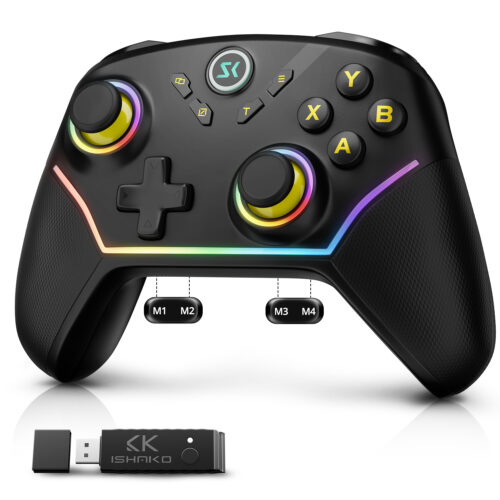
In the world of competitive gaming, a split-second delay can mean the difference between a legendary victory and a frustrating “Game Over.” While 2.4G wireless technology offers the freedom of movement, many PC and Switch players encounter a hidden enemy: USB Hub interference. If you are using high-performance gear like the ISHAKO AG43 PC Controller or the multi-platform ISHAKO AG46 Switch/PC Controller, you expect seamless input. However, connecting their 2.4G receivers through a standard USB extension or hub often leads to lag, jitter, or random disconnections.
In this 2025 updated guide, we dive deep into the science of USB power stability and how to ensure your ISHAKO controllers perform at their peak.
The Invisible Conflict: USB 3.0 vs. 2.4GHz Signal
The most common reason for 2.4G receiver instability isn’t the controller itself—it’s a physical phenomenon known as Radio Frequency Interference (RFI).
Most modern USB hubs use USB 3.0 (or USB 3.2) ports. While these provide fast data transfer for hard drives, they emit significant electronic noise in the 2.4GHz spectrum. Since the ISHAKO AG43 receiver operates on this same frequency, placing it directly next to an active USB 3.0 data stream creates a “shield” of interference.
The Result: Your PC struggles to “hear” the signal from your AG43, leading to the dreaded input lag or “ghost” movements during gameplay.
Power Stability: Why Your Hub is Failing Your Controller
Not all USB hubs are created equal. Many “passive” hubs (those without an external power supply) draw all their electricity from a single laptop or PC port.
When you plug in a 2.4G receiver alongside a keyboard, mouse, or external drive, the voltage can fluctuate. The ISHAKO AG46 Switch/PC Controller, designed for high-precision polling rates, requires a steady current to maintain its connection stability. If the hub’s power delivery is inconsistent, the receiver may momentarily “brown out,” causing it to reset or drop the connection mid-boss fight.
Case Study: Maximizing the Performance of ISHAKO AG43 and AG46
To fully utilize the performance of ISHAKO hardware, placement and power management are crucial.
For the ISHAKO AG43: This controller is a powerful tool for Windows gaming. To avoid interference, we recommend using the 2.4G receiver in a USB port on the back of your PC. Avoid using passive hubs, which can introduce latency and interference.
For the ISHAKO AG46: Since the AG46 is frequently switched between the Nintendo Switch dock and a PC, power consumption is a consideration. If you are using a dock or hub, ensure it is a powered USB hub. This ensures that the AG46’s 2.4G receiver receives a stable and reliable voltage, even when the Switch is charging.
Real-World Case Study (Player Report)
One of our users, John — a mechanical engineer working in electronics packaging — shared an insightful example.
He noticed unstable inputs when the receiver was connected through a USB hub with several other peripherals. After removing unnecessary devices, performance improved. Once he switched to a powered USB hub, the AG43 receiver performed flawlessly at full 1000Hz capability.
His case perfectly illustrates how USB power fluctuation in complex setups affects wireless performance.
Our Recommendations for Best Performance
To ensure stable 2.4GHz connectivity, we recommend:
✔ Use a motherboard rear USB port
These ports typically provide the most stable 5V output.
✔ If using a hub, prefer a powered USB hub
This ensures each port receives enough current, regardless of other devices.
Avoid connecting the receiver through:
- Monitor USB passthrough ports
- Front-panel USB ports on low-end cases
- Overloaded non-powered hubs
Continuous Improvement
Although the AG43 receiver already operates safely within USB specifications, feedback like John’s helps us refine future designs.
We’re evaluating ways to further improve power efficiency without compromising wireless performance, polling stability, or dual-controller capabilities.
Your feedback drives our progress — and we thank the community for helping us build even better gaming hardware.


 Sale!
Sale!